Fly Mod
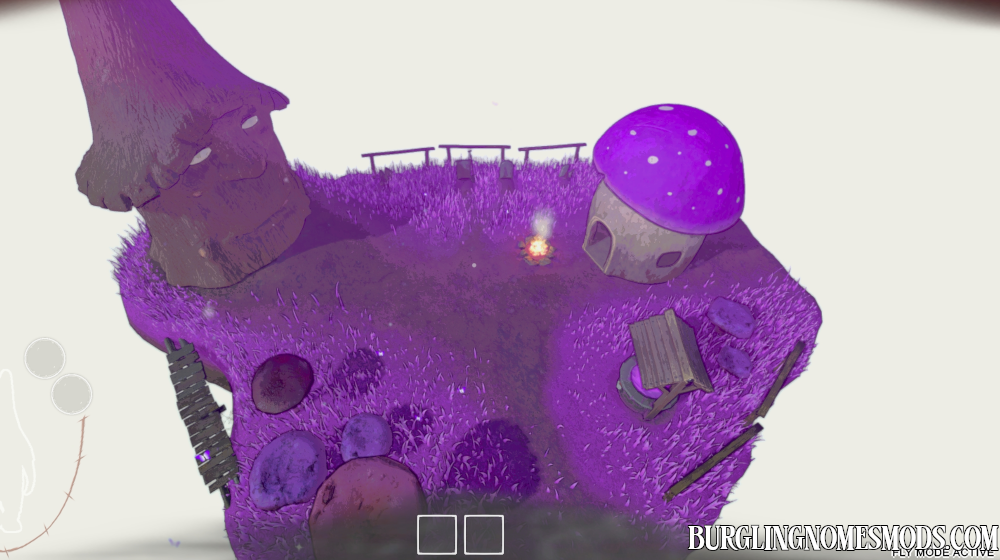
This mod adds fly mode to the game.
Use F to turn on the fly mode. At the right bottom you’ll see FLY MODE ACTIVE.
You will fall down if disable the mode mid-air!

See the mod in action:
Controls
- ToggleFlyMod = F (Key to enable or disable fly mode)
- FlyUp = Space (Key to fly upwards)
- FlyDown = LeftControl (Key to fly downwards)
- BoostKey = LeftShift (Key to multiply movement speed)
- MovementSpeed = 20 (Base flight speed)
You can configure the mod in burglingnomesmods.com.FlyMod.cfg file located in Burglin’ Gnomes Demo\BepInEx\config. It is generated after you started the game at least once with the Fly mod enabled.
Requirements: BepInEx 5
The mod was created by burglingnomesmods.com.
How to Install
- Make sure you have BepInEx 5 installed.
- Download Fly Mod and unzip the archive to Burglin’ Gnomes\BepInEx\plugins.
Detailed guide: How to install mods for Burglin’ Gnomes.