Chat Mod
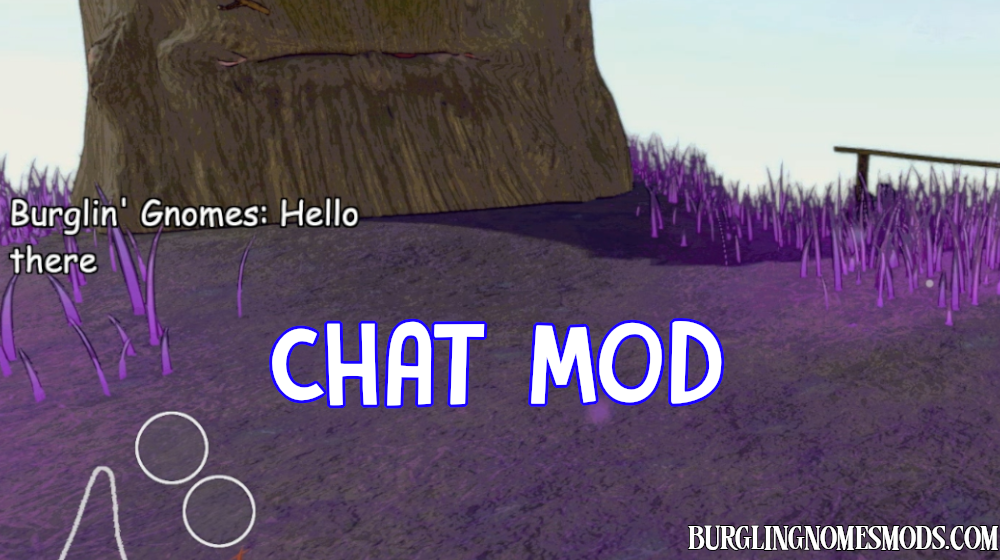
A quality-of-life mod that adds chat to the Burglin’ Gnomes game.
Chat Mod adds an in-game text chat for multiplayer sessions. Press Enter to open the chat input field, type your message, and press Enter again to send it. Press Escape to close the input without sending.
Messages appear on the left side of the screen and automatically fade out after a configurable amount of time. Messages are delivered to all players who have the mod installed.
Chat Features
- In-game text chat visible to all players with the mod installed
- Messages appear on the left-center of the screen and fade out smoothly
- Message height automatically adjusts to fit long text
- Input field grows dynamically as you type
- Player names are pulled from Steam automatically
- Movement and camera are fully locked while typing
- Fully configurable via BepInEx config file or with Mod Config Manager
Mod Configuration
Edit values in BepInEx/config/burglingnomesmods.com.ChatMod.cfg file or in Mod Config Manager directly in the game.
| MessageVisibleSeconds | 5 | How long a message stays fully visible |
| MessageFadeSeconds | 2 | How long the fade-out takes |
| MaxMessages | 4 | Max messages shown at once (clamped by screen space) |
| FontSize | 46 | Font size of chat messages |
| PositionY | 0.5 | Vertical position as fraction of screen height |
| MessageWidth | 600 | Width of the chat area in pixels |
| ChatKey | ENTER | Key to open chat and send your message |
Requirements: BepInEx 5
The mod was created by burglingnomesmods.com.
If you find any bugs, don’t hesitate to leave a comment!
How to Install
- Make sure you have BepInEx 5 installed.
- Download Chat Mod and unzip the archive to Burglin’ Gnomes\BepInEx\plugins.
Detailed guide: How to install mods for Burglin’ Gnomes.