Scene Dumper
A useful tool for Burglin’ Gnomes modders.
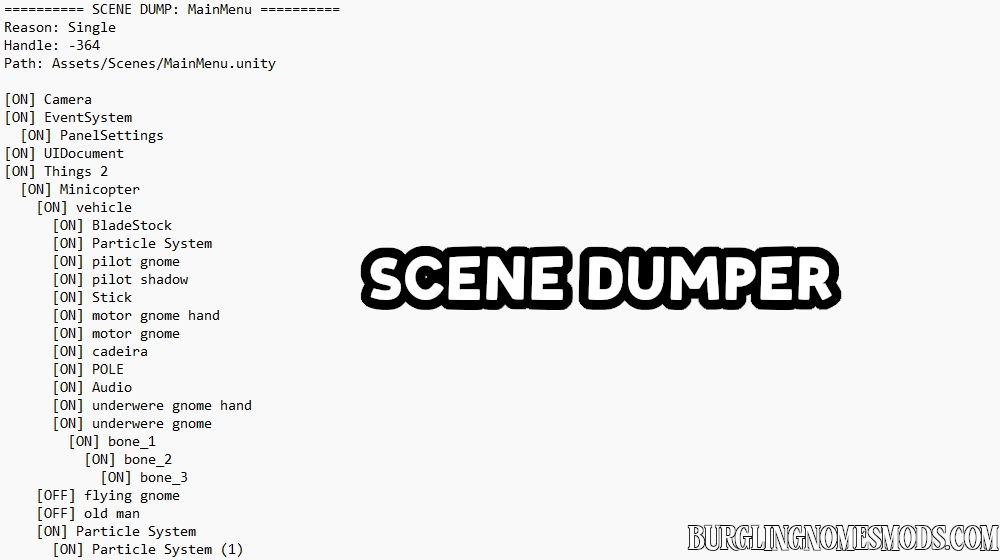
When the mod is active, it automatically creates a .txt dump for each loaded Unity scene inside the BepInEx folder. Each dump contains the scene name, scene path, root objects, child objects, and whether each object is currently active or inactive.
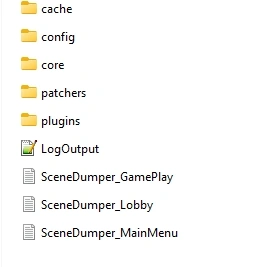
This is useful for finding object names, checking scene hierarchy, locating UI/menu elements, debugging patches, or preparing new BepInEx mods.
Requirements: BepInEx 5
The tool was created by burglingnomesmods.com.
How to Install
- Make sure you have BepInEx 5 installed.
- Download Scene Dumper and unzip the archive to Burglin’ Gnomes\BepInEx\plugins.
Detailed guide: How to install mods for Burglin’ Gnomes.